Features Overview
k13d provides comprehensive Kubernetes management with both TUI and Web interfaces, featuring an integrated AI assistant.
Feature Comparison
| Feature | TUI | Web UI | Description |
|---|---|---|---|
| Dashboard | ✅ | ✅ | Real-time resource overview |
| AI Assistant | ✅ | ✅ | Agentic AI with tool calling |
| Resource Browsing | ✅ | ✅ | View all K8s resources |
| YAML Viewer | ✅ | ✅ | View resource manifests |
| Log Viewer | ✅ | ✅ | Real-time log streaming |
| Terminal/Shell | ✅ | ✅ | Pod shell access |
| Port Forward | ✅ | ✅ | Forward ports locally |
| Topology View | ❌ | ✅ | Resource relationship graph |
| Reports | ❌ | ✅ | PDF/CSV cluster reports |
| Metrics Charts | ❌ | ✅ | Visual CPU/Memory graphs |
| Settings UI | ❌ | ✅ | Graphical configuration |
| Multi-user | ❌ | ✅ | Authentication & RBAC |
| Audit Logging | ✅ | ✅ | Track all operations |
| i18n | ✅ | ✅ | Multi-language support |
| Vim Navigation | ✅ | ❌ | h/j/k/l keybindings |
| Autocomplete | ✅ | ❌ | Dropdown command suggestions |
| Resource Aliases | ✅ | ❌ | Custom command shortcuts |
| Plugin System | ✅ | ❌ | External tool integration |
| Model Switching | ✅ | ✅ | Switch AI model profiles |
| Chat History | ✅ | ✅ | Preserved Q&A sessions |
Quick Links
-
Dashboard, AI Assistant, Reports, Metrics, and more
-
Terminal dashboard with Vim-style navigation
-
Agentic AI with kubectl/bash tool calling
-
Authentication, RBAC, Audit logging
Interface Screenshots
Web UI Dashboard
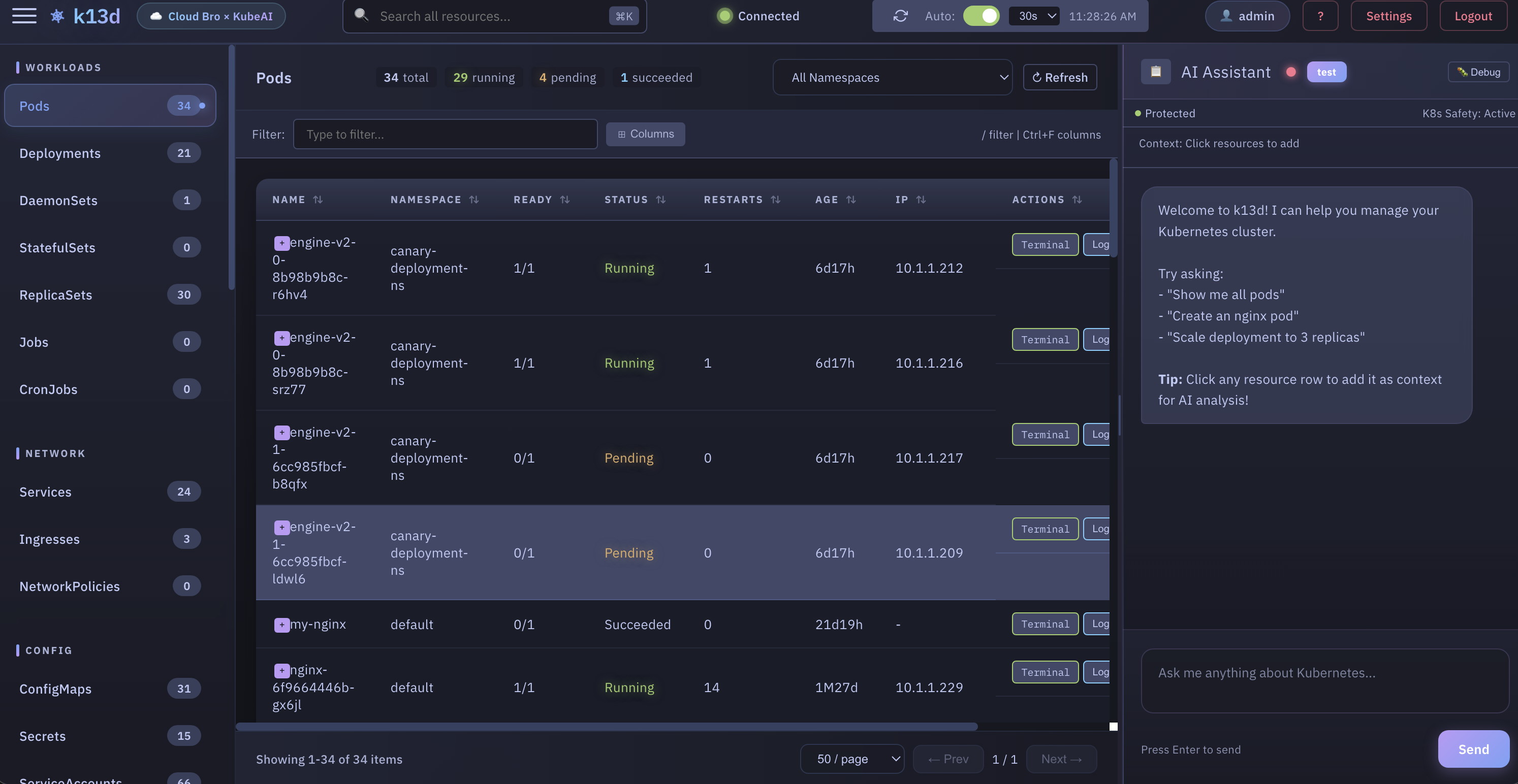
Main dashboard showing resources, AI assistant panel, and navigation
Web UI - AI Assistant
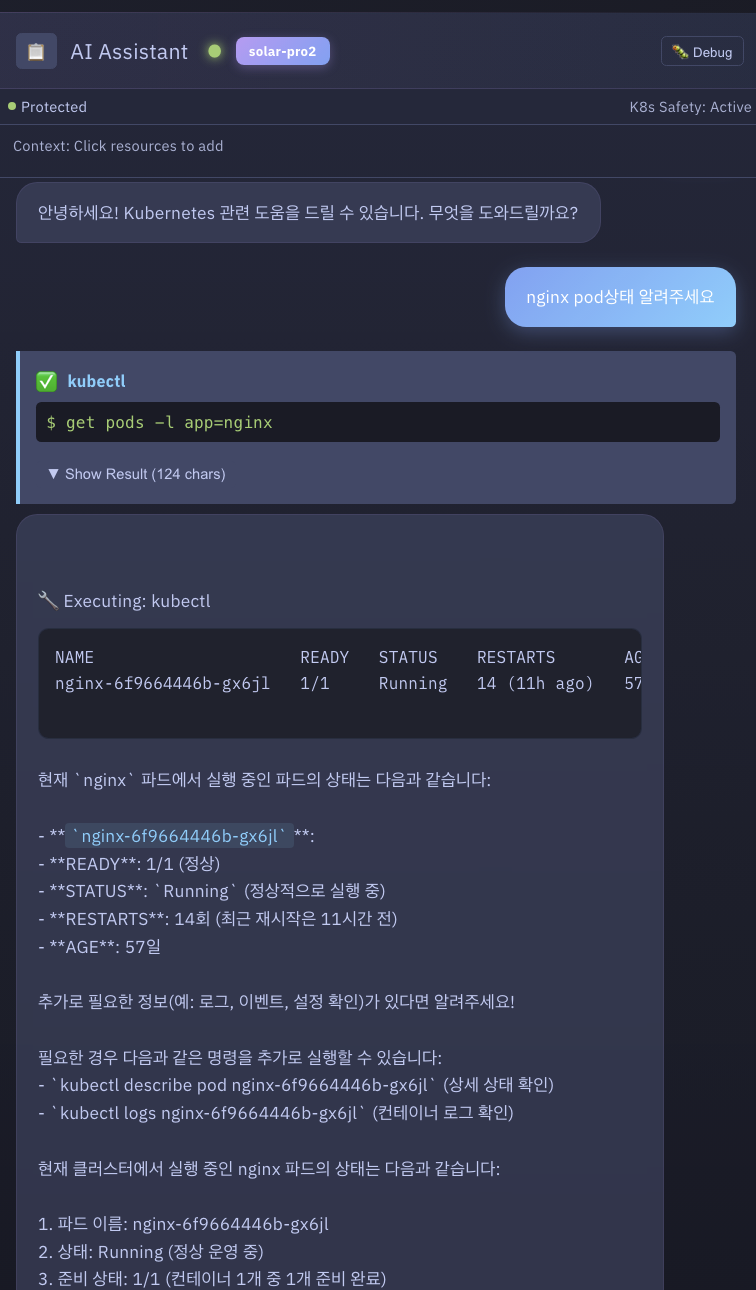
AI assistant panel with natural language queries and tool execution
Web UI - Topology View
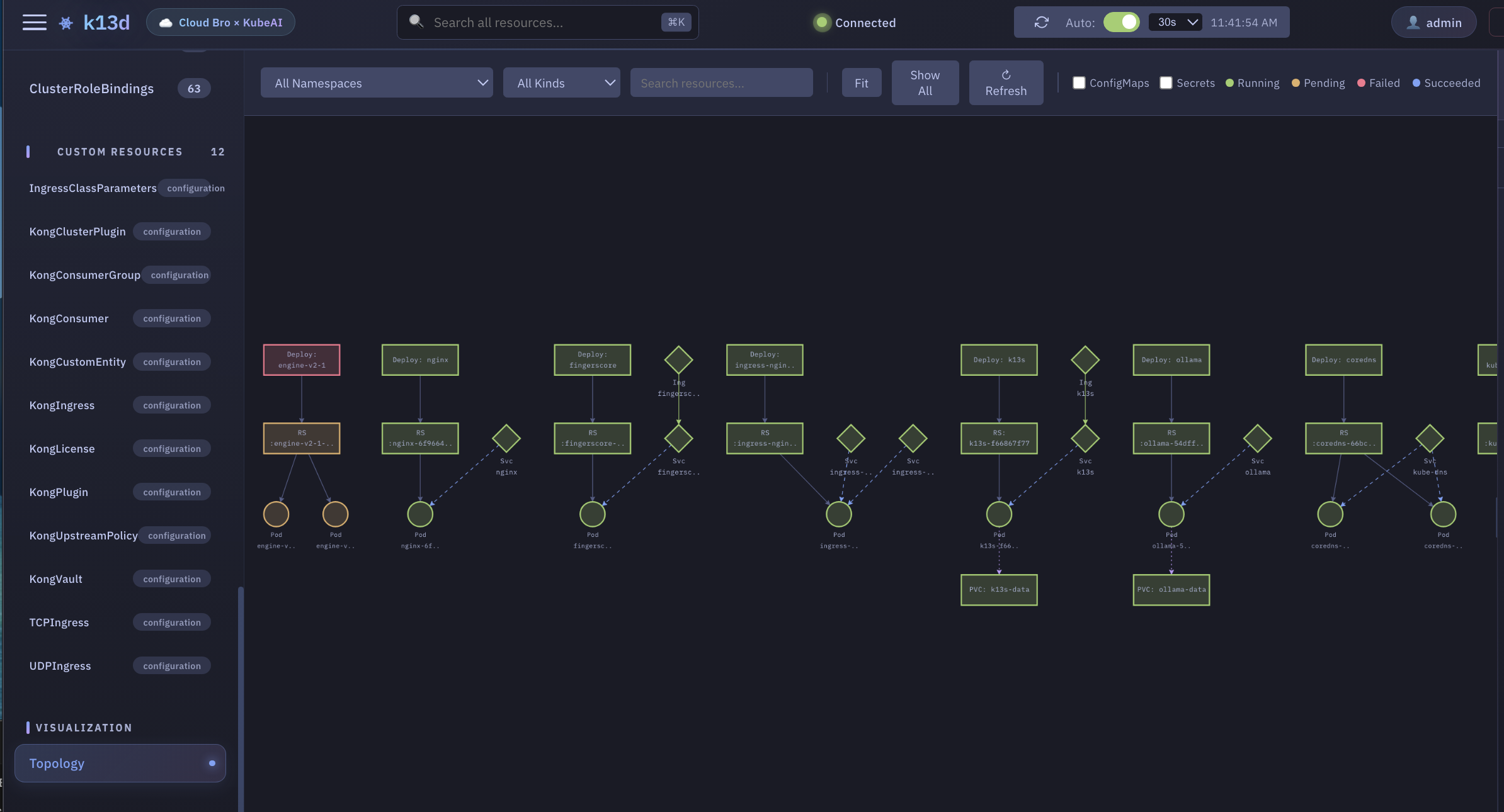
Interactive resource relationship visualization
TUI - Help & Keybindings
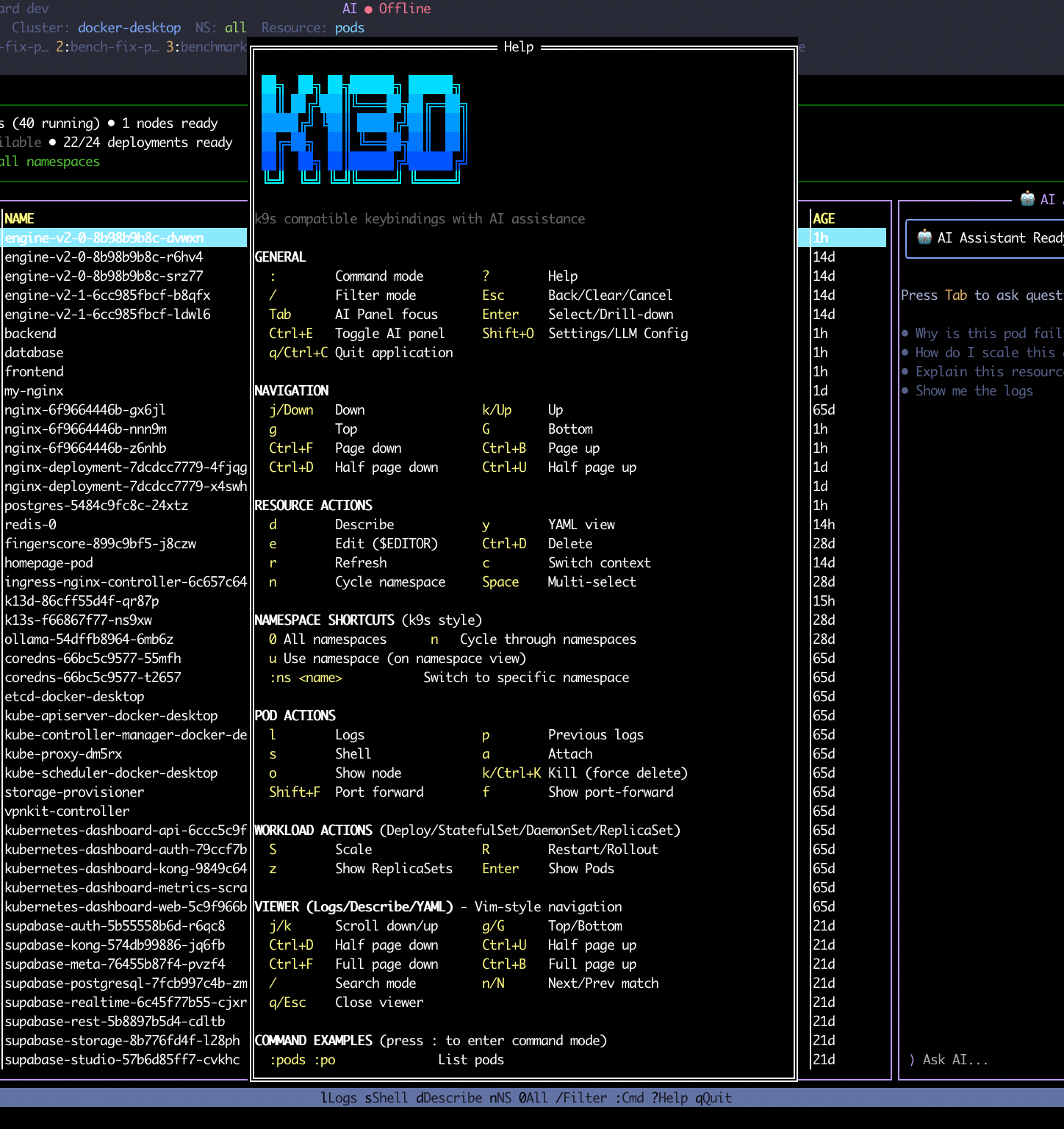
Help modal showing all keybindings including sorting and AI shortcuts
TUI - Autocomplete
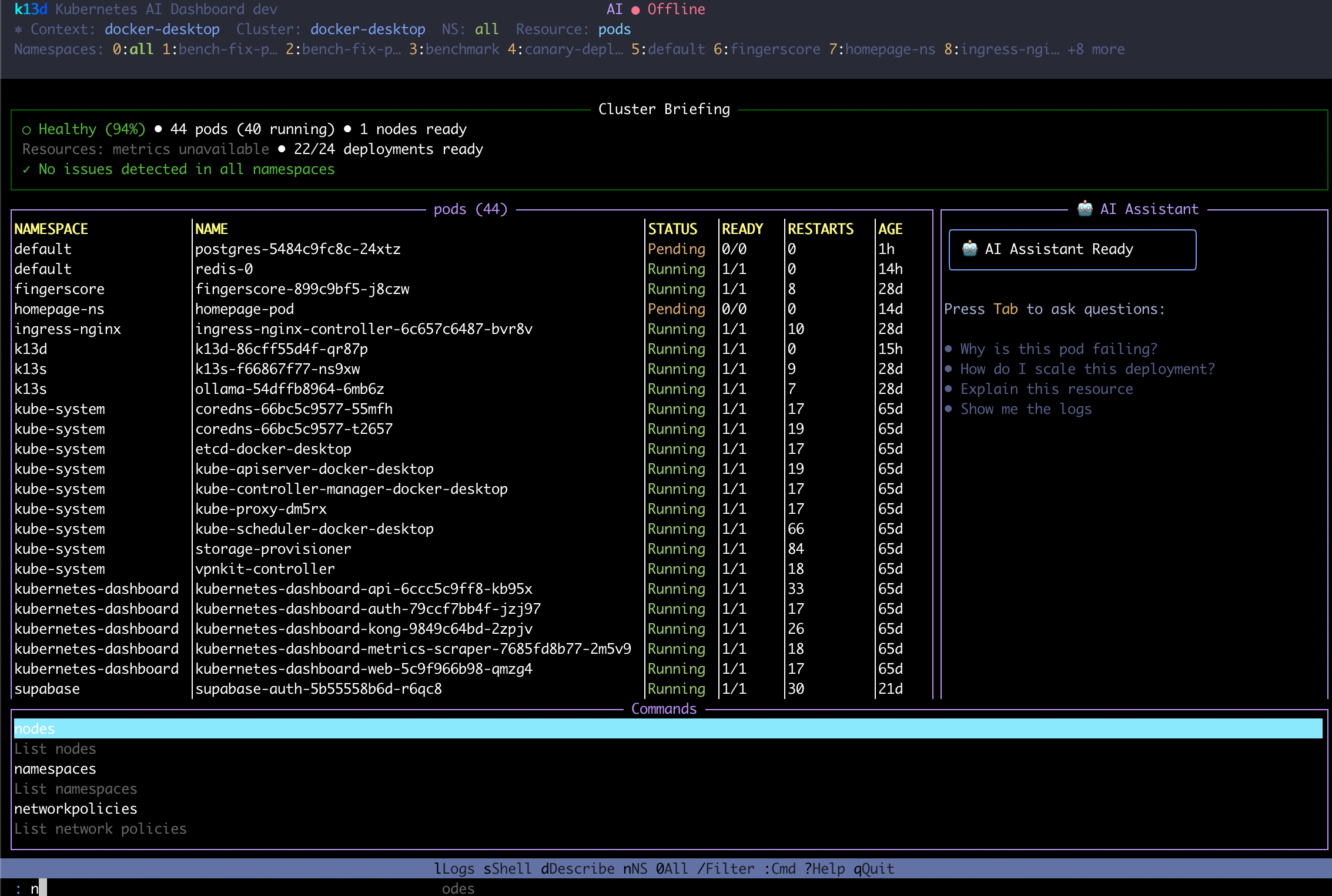
Command autocomplete with dropdown suggestions
TUI - LLM Settings
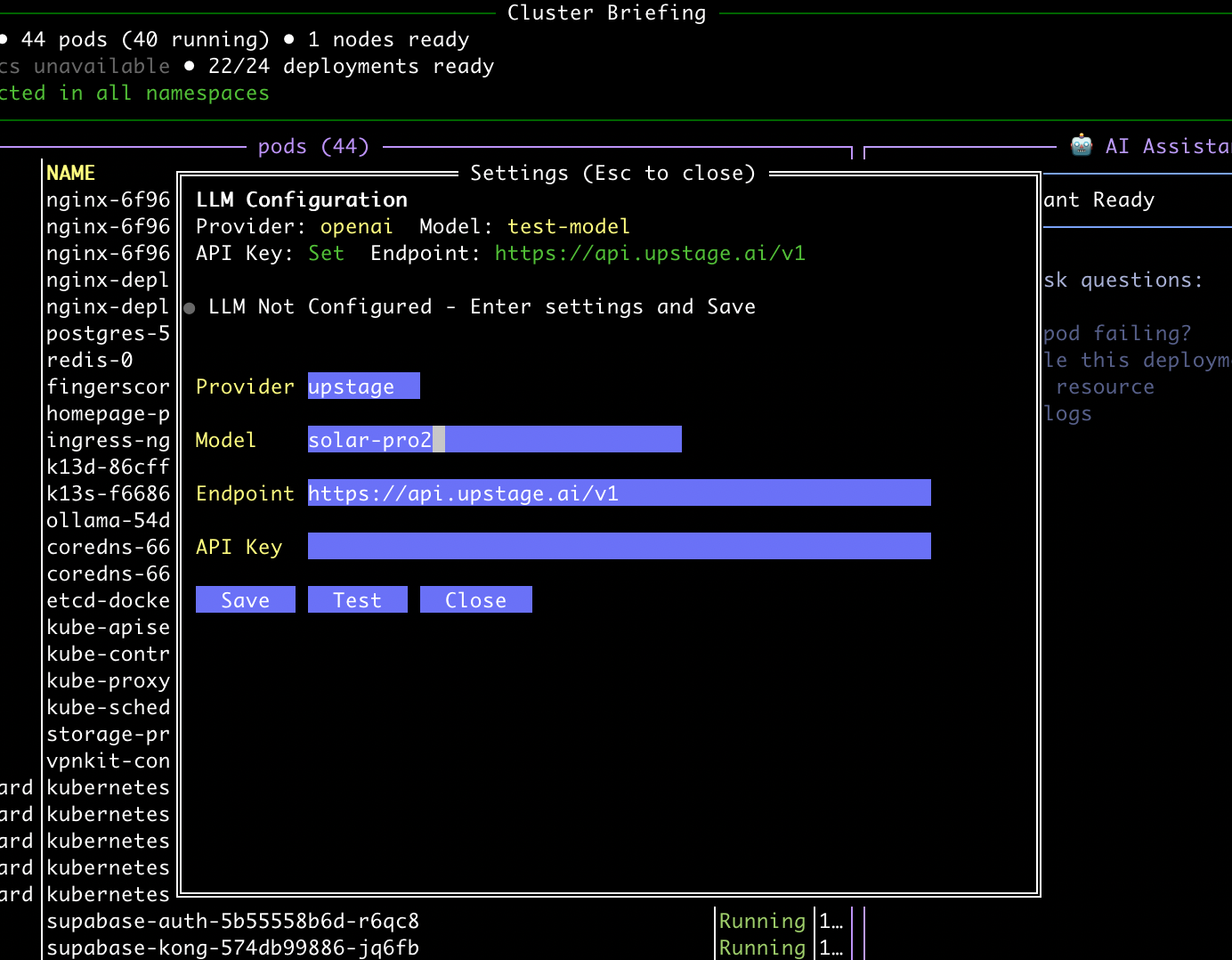
Model switching between configured AI profiles