Security Features
k13d combines authentication, RBAC, audit logging, and AI command safety controls.
Overview
| Feature | Status | Notes |
|---|---|---|
| Authentication | Implemented | Local, token, LDAP auth path, OIDC auth path |
| Authorization | Implemented | Deny-overrides-allow RBAC |
| Audit Logging | Implemented | SQLite and optional audit file |
| JWT Settings | Implemented | Configured under authorization.jwt |
| User Locking | Implemented | Admin lock/unlock flow |
| AI Tool Approval | Implemented | authorization.tool_approval in config.yaml |
| Native SAML | Not implemented | Use SAML-to-OIDC bridge or reverse proxy |
| Native MFA for local/LDAP | Not implemented | Enforce MFA in your IdP / proxy layer |
What Lives Where
config.yaml
config.yaml is the source of truth for:
- LLM settings and saved model profiles
- MCP servers
- storage and audit persistence
- Prometheus settings
- RBAC and JWT settings under
authorization - AI tool approval policy under
authorization.tool_approval
On macOS, the default config path is ~/.config/k13d/config.yaml.
Web authentication provider settings
The current build does not persist LDAP or OIDC provider configuration from the Web UI into config.yaml.
- The Web UI authentication section currently shows runtime status only.
- Changing auth provider settings still requires startup-time configuration and a server restart.
- Local and token auth are turnkey through CLI flags.
- LDAP and OIDC code paths exist in the auth layer, but the stock binary does not yet expose full first-class CLI flags for every provider field.
This distinction matters:
authorizationinconfig.yamlcontrols RBAC, JWT, access requests, impersonation, and tool approval.auth modecontrols how users log in to the Web UI.
Authentication Modes
Login Page
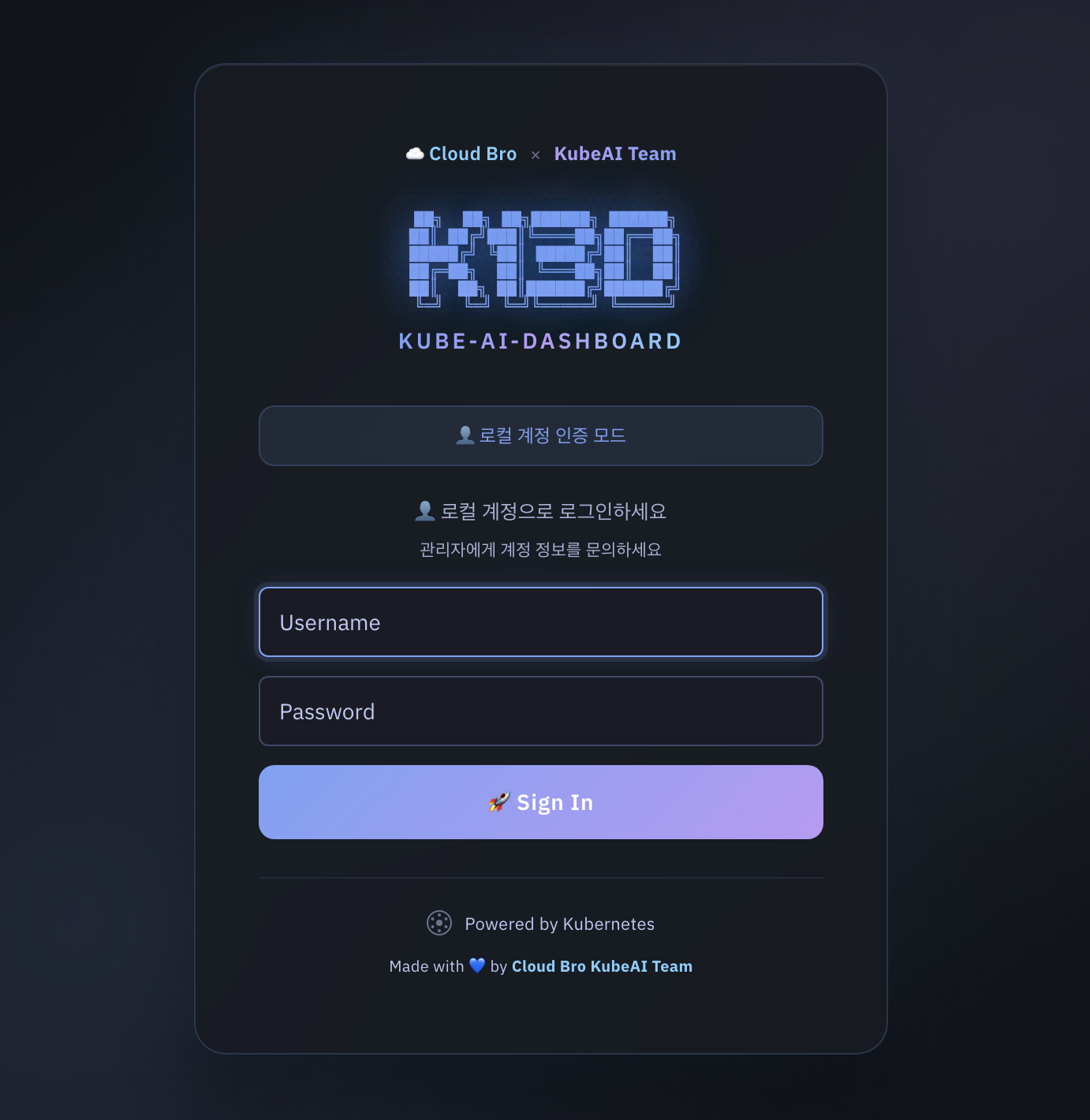
| Mode | Current usability | How it works |
|---|---|---|
local | Ready | In-memory username/password users |
token | Ready | Kubernetes TokenReview-based login |
ldap | Auth layer exists | Requires LDAP provider config at startup |
oidc | Auth layer exists | Requires OIDC provider config at startup |
--no-auth | Ready | Development/testing only |
Local Authentication
Use local auth for desktop use or small standalone deployments:
k13d --web --auth-mode local
k13d --web --auth-mode local --admin-user admin --admin-password changeme
Notes:
- If
--admin-passwordis omitted, k13d generates a random password and prints it on startup. - Local users are managed from the Web UI admin panel.
Token Authentication
Use token auth when users should log in with Kubernetes credentials:
This is the default auth mode for the stock binary.
LDAP Integration
The LDAP implementation lives in pkg/web/auth_ldap.go and expects three things:
- A reachable LDAP or LDAPS endpoint.
- A service account bind, if anonymous search is not allowed.
- A directory layout that lets k13d:
- find the user entry
- bind as that user to validate the password
- optionally search groups to determine the k13d role
Runtime Flow
- Connect to
ldap://host:portorldaps://host:port - Optionally start TLS if
start_tlsis enabled - Bind with
bind_dnandbind_password - Search for the user with
user_search_filter - Bind as the found user DN with the supplied password
- Re-bind as the service account if group lookup is needed
- Search groups with
group_search_filter - Map groups to
admin,user, orviewer
LDAP Fields Expected by the Auth Layer
The auth layer expects a structure equivalent to this:
auth:
  mode: ldap
  session_duration: 24h

ldap:
  enabled: true
  host: ldap.example.com
  port: 636
  use_tls: true
  start_tls: false
  insecure_skip_tls: false

  bind_dn: cn=k13d-bind,ou=svc,dc=example,dc=com
  bind_password: ${LDAP_BIND_PASSWORD}

  base_dn: dc=example,dc=com
  user_search_base: ou=people,dc=example,dc=com
  user_search_filter: (uid=%s)

  group_search_base: ou=groups,dc=example,dc=com
  group_search_filter: (member=%s)

  username_attr: uid
  email_attr: mail
  display_name_attr: cn

  admin_groups: ["k13d-admins"]
  user_groups: ["k13d-users"]
  viewer_groups: ["k13d-viewers"]
Important implementation details from code:
%sinuser_search_filteris replaced with the escaped username.%singroup_search_filteris replaced with the escaped user DN.- Group names are read from the group's
cnattribute. - Group matching is case-insensitive.
- Role priority is:
admin_groupsuser_groupsviewer_groups- default to
viewer
Directory Shape: OpenLDAP Example
dc=example,dc=com
├── ou=people
│   ├── uid=alice
│   └── uid=bob
└── ou=groups
    ├── cn=k13d-admins
    ├── cn=k13d-users
    └── cn=k13d-viewers
Recommended config:
ldap:
  enabled: true
  host: ldap.example.com
  port: 636
  use_tls: true
  bind_dn: cn=k13d-bind,ou=svc,dc=example,dc=com
  bind_password: ${LDAP_BIND_PASSWORD}
  base_dn: dc=example,dc=com
  user_search_base: ou=people,dc=example,dc=com
  user_search_filter: (uid=%s)
  group_search_base: ou=groups,dc=example,dc=com
  group_search_filter: (member=%s)
  username_attr: uid
  email_attr: mail
  display_name_attr: cn
  admin_groups: ["k13d-admins"]
  user_groups: ["k13d-users"]
  viewer_groups: ["k13d-viewers"]
Directory Shape: Active Directory Example
DC=corp,DC=example,DC=com
├── OU=Users
│   ├── CN=Alice Kim
│   └── CN=Bob Lee
└── OU=Groups
    ├── CN=K13D-Admins
    ├── CN=K13D-Users
    └── CN=K13D-Viewers
Recommended config:
ldap:
  enabled: true
  host: dc1.corp.example.com
  port: 636
  use_tls: true
  bind_dn: CN=k13d-bind,OU=Service Accounts,DC=corp,DC=example,DC=com
  bind_password: ${LDAP_BIND_PASSWORD}
  base_dn: DC=corp,DC=example,DC=com
  user_search_base: OU=Users,DC=corp,DC=example,DC=com
  user_search_filter: (sAMAccountName=%s)
  group_search_base: OU=Groups,DC=corp,DC=example,DC=com
  group_search_filter: (member=%s)
  username_attr: sAMAccountName
  email_attr: mail
  display_name_attr: displayName
  admin_groups: ["K13D-Admins"]
  user_groups: ["K13D-Users"]
  viewer_groups: ["K13D-Viewers"]
TLS Guidance
Choose one of these:
use_tls: truewith port636for LDAPSstart_tls: truewith port389for StartTLS
Avoid insecure_skip_tls: true outside lab environments.
LDAP Validation Checklist
Before blaming k13d, verify:
- The bind account can search the configured
user_search_base - The user filter returns exactly one entry
- The user DN can bind with the entered password
- Group lookup returns group
cnvalues that match your configured role lists - TLS certificates are trusted by the host running k13d
OIDC / SSO
The OIDC implementation lives in pkg/web/auth_oidc.go.
Runtime Flow
- Fetch the OpenID discovery document from
provider_url - Redirect the user to the provider authorization endpoint
- Validate the returned
state - Exchange the authorization code for tokens
- Call the provider
userinfoendpoint - Determine the k13d role from
groups,roles, orgroup_mappings - Create a k13d session cookie
OIDC Fields Expected by the Auth Layer
auth:
  mode: oidc
  session_duration: 24h

oidc:
  provider_name: Okta
  provider_url: https://example.okta.com/oauth2/default
  client_id: ${OIDC_CLIENT_ID}
  client_secret: ${OIDC_CLIENT_SECRET}
  redirect_uri: https://k13d.example.com/api/auth/oidc/callback
  scopes: openid email profile groups

  roles_claim: roles
  admin_roles: ["k13d-admin", "platform-admin"]
  user_roles: ["k13d-user"]
  default_role: viewer
  group_mappings:
    k13d-viewers: viewer
    k13d-developers: user
Current code behavior:
- Discovery is automatic through
/.well-known/openid-configuration - If
redirect_uriis empty, k13d derives it from the incoming request - The role mapper checks
userinfo.groupsfirst, thenuserinfo.roles group_mappingsis matched by exact keydefault_rolefalls back toviewer- The current implementation does not expose SAML directly
OIDC Role Mapping Notes
If your provider does not emit groups or roles in the userinfo response, k13d will not infer richer roles by itself. In that case:
- add the claims in the IdP
- use
group_mappings - or rely on
default_role
Local HTTP vs HTTPS
OIDC session cookies must only be Secure on HTTPS requests. The current code now sets the cookie security flag based on the actual request scheme, which avoids broken OIDC login on local http://localhost development setups.
MFA / 2FA Guidance
k13d does not implement its own second factor for local auth or raw LDAP auth.
If you want two-factor authentication:
- prefer
oidcmode - enforce MFA in your IdP such as Okta, Keycloak, Google, Azure AD, or Authentik
- let k13d trust the IdP after the OIDC login completes
This is the cleanest design because:
- password policy, MFA, device trust, and recovery stay in one system
- k13d only needs user identity and role/group claims
- Web UI and API share the same upstream identity decision
LDAP + MFA
If your organization authenticates users against LDAP but requires MFA, do not bolt MFA into k13d directly. Instead:
- Put an IdP or access proxy in front of LDAP
- Have that layer authenticate against LDAP/AD
- Enforce MFA there
- Expose OIDC to k13d
- Run k13d in
oidcmode
That gives you LDAP-backed identities with modern MFA.
SAML
Native SAML support is not implemented in k13d today.
If your organization standardizes on SAML, use one of these patterns:
- Keycloak, Authentik, Okta, Azure AD, or another IdP that can accept SAML upstream and expose OIDC downstream
oauth2-proxyor a similar reverse proxy in front of k13d- an ingress / auth gateway that performs SAML and forwards authenticated traffic to k13d
Recommended architecture:
That is the practical way to get SAML + MFA + centralized policy while keeping k13d on one supported protocol surface.
Web UI Authentication Settings
Authentication Control
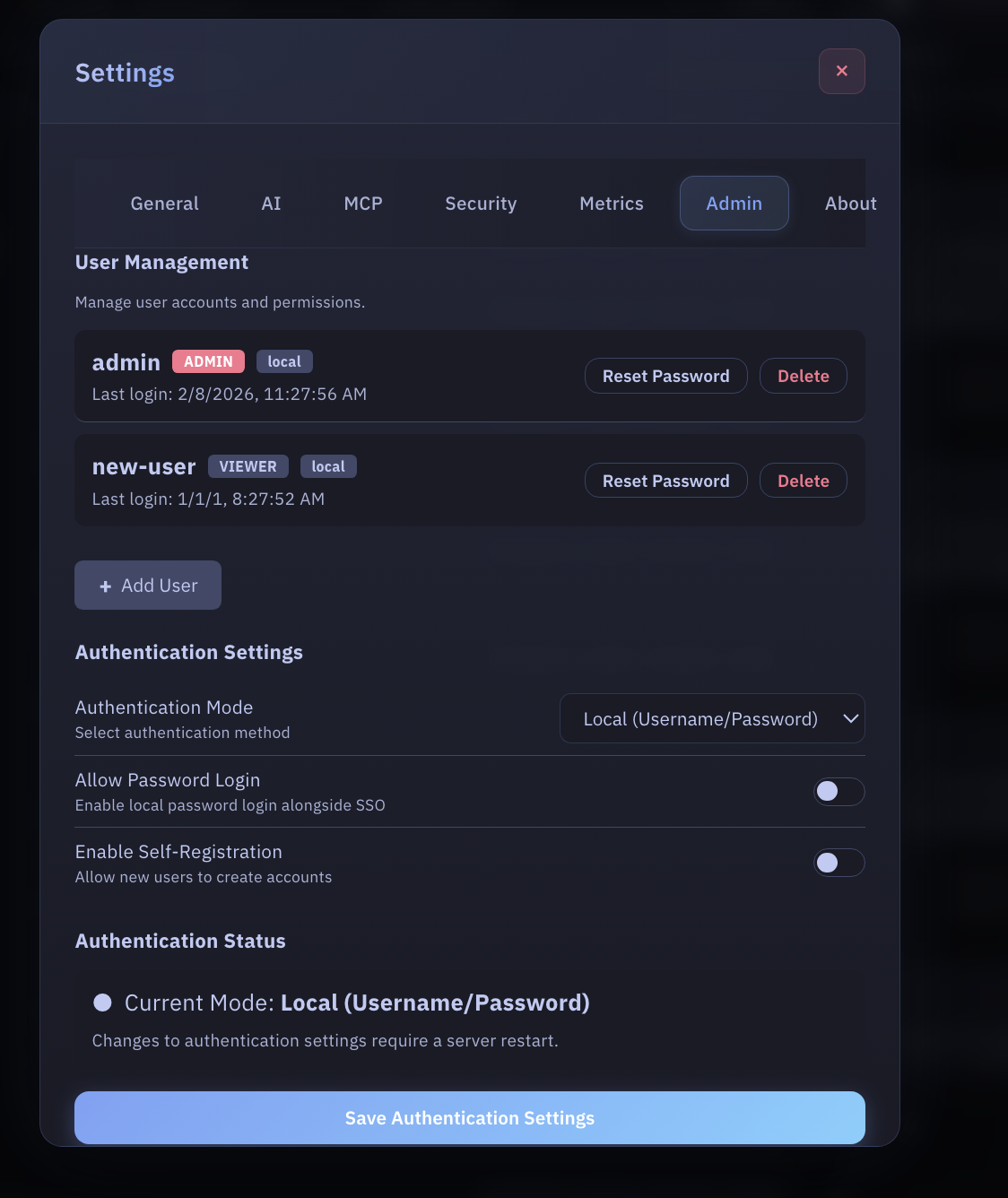
Current behavior in the Web UI:
- local user management works
- password reset works for local users
- current auth mode and runtime provider status are visible
- provider-specific LDAP/OIDC fields are shown as runtime information
- provider changes still require startup config changes and restart
The Web UI no longer pretends these provider settings are persisted when they are not.
RBAC Authorization
k13d uses a Teleport-inspired deny-overrides-allow RBAC system.
Role System
| Role | Permissions |
|---|---|
| Viewer | Read-only access to resources |
| User | View plus approved operational actions |
| Admin | Full access including destructive actions |
Permission Matrix
| Action | Viewer | User | Admin |
|---|---|---|---|
| View resources | ✅ | ✅ | ✅ |
| View logs | ✅ | ✅ | ✅ |
| Execute read commands | ❌ | ✅ | ✅ |
| Execute write commands | ❌ | ⚠️ | ✅ |
| Delete resources | ❌ | ❌ | ✅ |
| Manage users | ❌ | ❌ | ✅ |
| View audit logs | ❌ | ❌ | ✅ |
Config Example
authorization:
  default_tui_role: viewer
  roles:
    - name: production-viewer
      allow:
        - resources: ["pods", "services", "deployments"]
          actions: ["view", "logs"]
          namespaces: ["production"]
Impersonation
authorization:
  impersonation:
    enabled: true
    mappings:
      viewer:
        user: k13d-viewer-sa
        groups: ["viewers"]
      admin:
        user: k13d-admin-sa
        groups: ["admins"]
Audit Logging
All important actions are written to SQLite when persistence is enabled.
Common Event Types
| Event | Meaning |
|---|---|
login | User authentication |
logout | User logout |
update_settings | Settings change |
update_llm_settings | LLM configuration change |
approve | Tool approval |
reject | Tool rejection |
execute | Command execution |
lock | User account lock |
API
curl http://localhost:8080/api/audit
curl http://localhost:8080/api/audit?action=execute
curl http://localhost:8080/api/audit?user=admin
AI Tool Approval
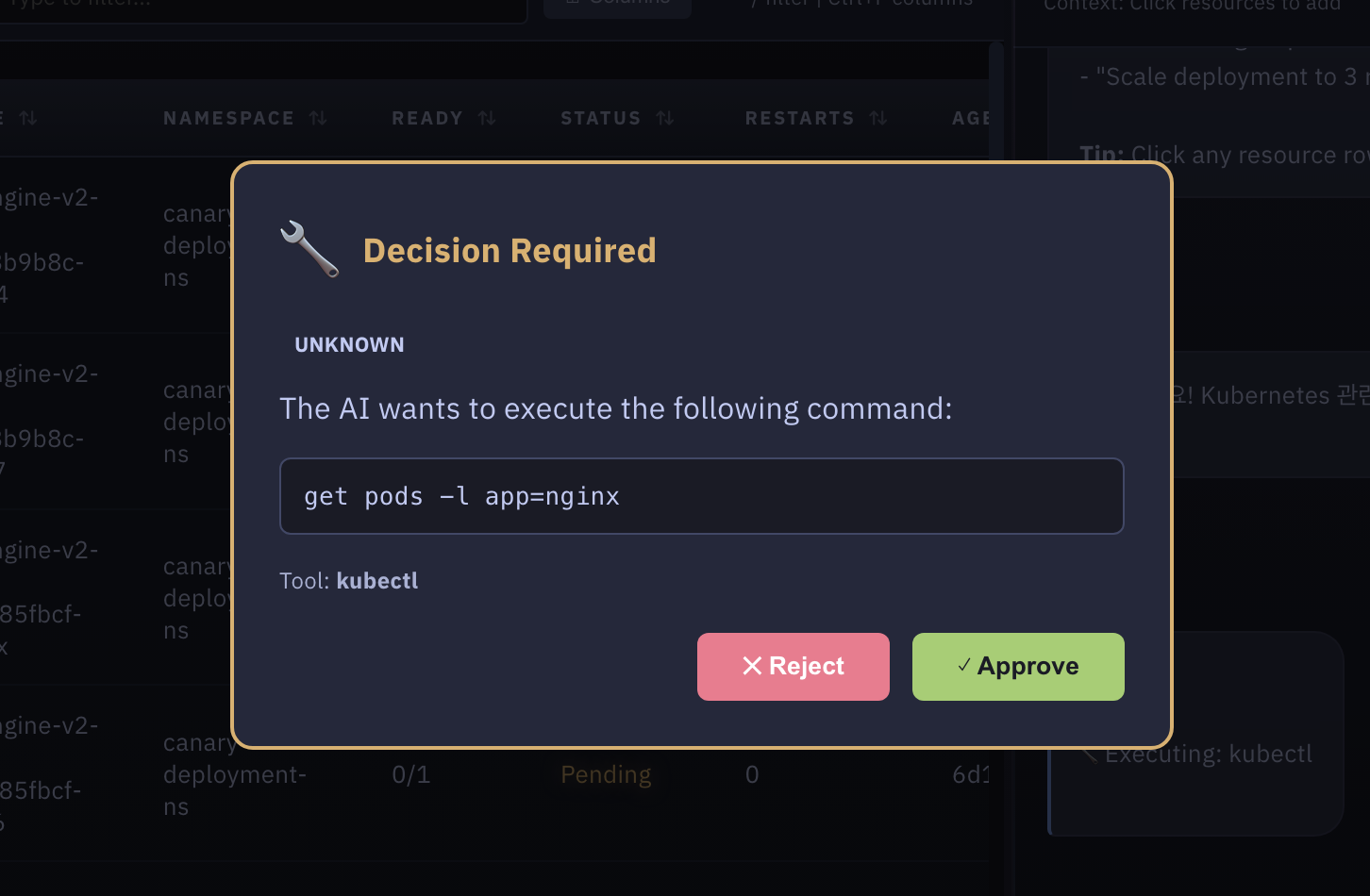
AI-generated commands are classified before execution.
| Category | Examples | Default behavior |
|---|---|---|
| Read-only | get, describe, logs | Approval required by default |
| Write | apply, create, patch, scale | Approval required |
| Dangerous | delete, drain, destructive shell patterns | Approval required or blocked |
| Unknown | Non-recognized tool commands | Approval required |
config.yaml
authorization:
  tool_approval:
    auto_approve_read_only: false
    require_approval_for_write: true
    require_approval_for_unknown: true
    block_dangerous: false
    blocked_patterns:
      - "rm -rf /"
      - "kubectl delete ns kube-system"
    approval_timeout_seconds: 60
The Web UI setting for skipping Decision Required now maps to the same backend policy used by tool execution. Unless you explicitly enable auto_approve_read_only, both read-only and write AI tool actions stop at the approval modal first.
Best Practices
- Use
--auth-mode localfor local desktop use and--auth-mode tokenfor in-cluster deployments. - If you need MFA, prefer OIDC and enforce MFA in the IdP.
- Treat LDAP as a directory integration, not as the MFA boundary.
- Keep
authorization.tool_approval.block_dangerousenabled in sensitive clusters. - Set
authorization.default_tui_roleto the lowest role that makes sense. - Review audit logs regularly.